
Commercial rooftop unit service
Keep rooftop HVAC service focused on the unit your building depends on. Clean AC LLC provides diagnosis, repair and preventive maintenance for commercial rooftop cooling and heating equipment. Include the affected spaces, operating symptoms and roof-access arrangements when requesting service.
Service & equipment inquiries
[email protected]
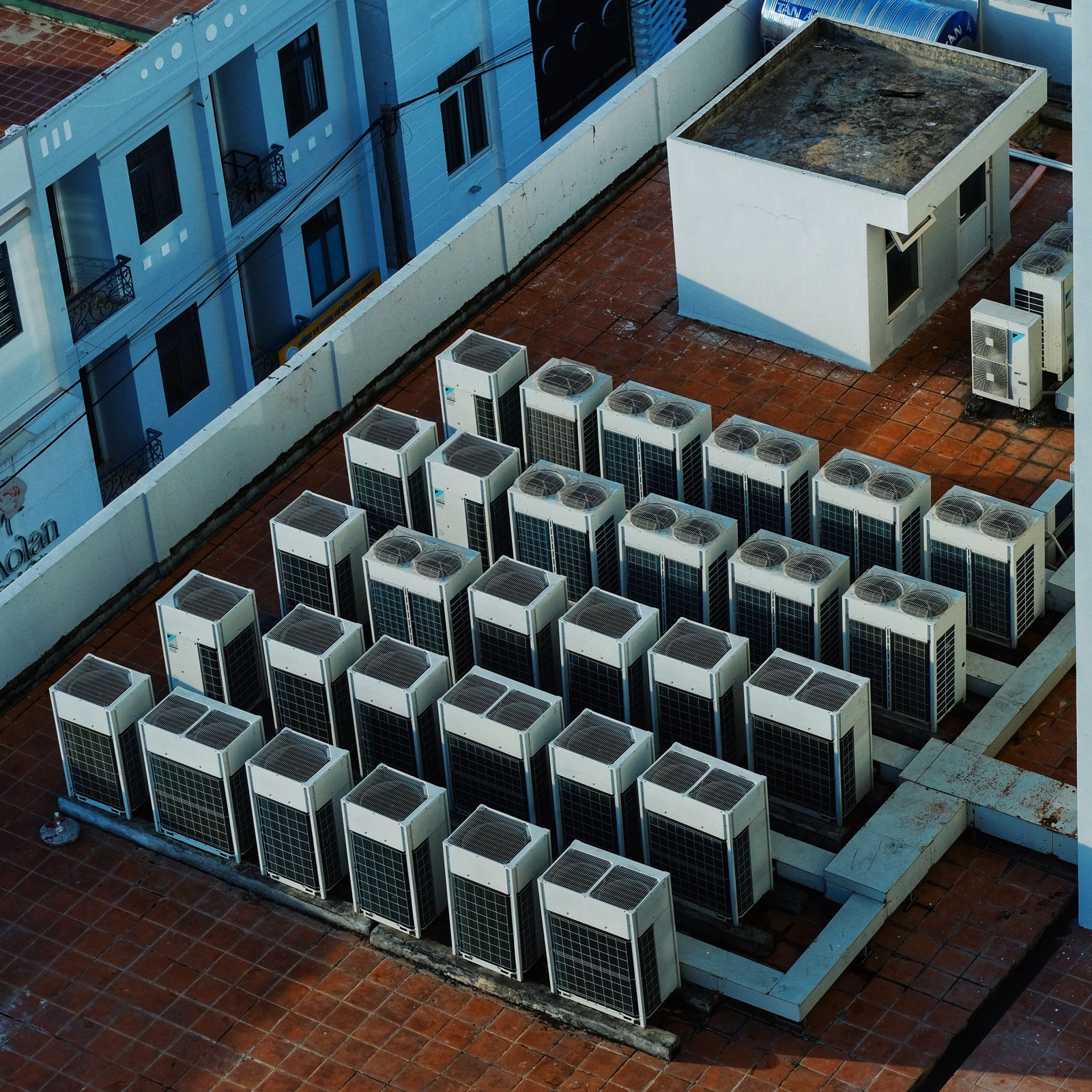
Roof access and equipment details shape the work
Several rooftop systems can look similar while serving different zones or using different heating, controls and ventilation arrangements. Keep unit numbers, models and served areas together. This is especially useful when a complaint affects only one tenant or part of the building.
Describe the concern before arranging access: weak cooling, heating faults, repeated stops, drainage issues or routine care. Include available fault messages and service history. The unit configuration and findings determine which diagnostic, cleaning or component tasks belong in the work.
Roof access is part of the scope, not an afterthought. Provide the coordinating contact, access route and property restrictions. For repair or replacement, distinguish equipment work from curbs, connection changes and movement arrangements that require separate planning.
Units linked to served areas
Keep equipment numbers and tenant or zone locations together.
Roof arrangements included
Describe access routes and property requirements before the visit.
Packaged-system context
Identify heating, cooling, controls and installed ventilation accessories.
Request rooftop HVAC service
List the affected unit numbers, available models and the areas each serves. Include symptoms, previous findings and whether you need maintenance, diagnosis, repair or replacement discussion.
Provide the site address, roof-access arrangements, occupied hours and the person coordinating entry. Use existing records for technical details rather than asking untrained staff to inspect roof equipment.
Organize the request around each rooftop system
1
Identify units and zones
Connect roof unit numbers with model information and the areas served.
2
Define the service need
Separate operating faults from routine care, cleaning and replacement planning.
3
Arrange roof access
Coordinate entry, property requirements and practical equipment-access restrictions.
4
Retain unit-specific findings
Record work and remaining issues against the named unit for follow-up.
Keep multi-unit sites easier to manage
A service request becomes clearer when every symptom belongs to a named roof unit. That connection prevents the building's equipment records from becoming one general list of unrelated repairs.
Use the same unit reference for future filters, parts and replacement discussions. Exact configurations and accessories matter when preparing products or work for a packaged system.
Separate unit records
Keep faults, maintenance and parts requirements organized by equipment.
Accessories identified
Include economizer or other installed ventilation/control accessories in the system description.
Site restrictions visible
Bring roof access and movement requirements into the proposed work.
Frequently asked questions
What should I send for several rooftop units?
List each unit's reference, model and served area, then place symptoms or requested care under the relevant unit.
Can you discuss rooftop heating and cooling faults?
Yes. Share the equipment configuration and symptoms so the assessment can cover the packaged system's heating, cooling, air delivery or controls as relevant.
Do I need to inspect the roof equipment myself?
Use existing equipment records and safely available information. Describe access arrangements so inspection can be coordinated as part of the service.
Are curbs and equipment removal part of a repair request?
Identify these separately when needed. Ordinary repair, curb alterations and replacement/removal have different site requirements.
Can rooftop maintenance be planned with other systems?
Yes. Include the full equipment list and keep roof access, task requirements and served zones specific to each installation.